


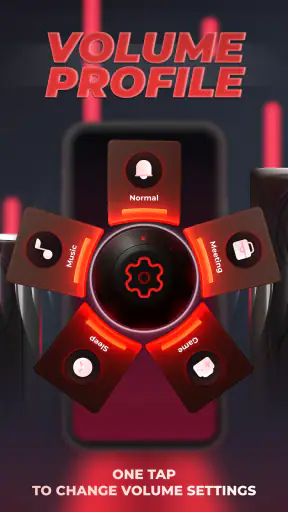
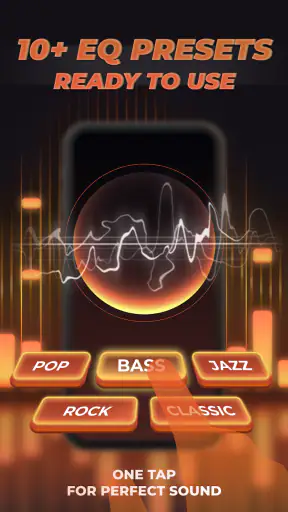
I installed Super Loud Volume Booster expecting a simple way to make quiet audio easier to hear, and that is still the best way to understand it. This free Music & Audio app from TAMob is a hands-on sound tool for Android rather than a music-making studio, recording suite, or publishing platform. It focuses on changing how loud and how full audio feels while you listen, with bass control and an equalizer included in the same experience.
That distinction matters if you are approaching it from a creative workflow. It can help me check a rough mix, make a spoken recording easier to follow, or hear a video more clearly in a noisy room. It does not replace an editor for cutting clips, arranging tracks, recording performances, or delivering a finished file. I see it as a listening and checking stage between creating audio and deciding whether the result works on ordinary Android playback.
The app is free to start, has an Everyone content rating, and runs on Android 7.0 or later. Its current version is 34, and its popularity is easy to understand: it has passed one million installs, with an average rating of 4.5 from around nineteen thousand ratings. Those figures suggest that many people want a quick volume and tone adjustment without learning a full audio workstation, although popularity does not remove the need to use any volume enhancer carefully.
Starting with a creative problem instead of chasing maximum loudness
My first recommendation is not to open the app with the goal of making everything as loud as possible. “Super Loud” is a memorable promise, but maximum output is rarely the same as a better result. When I am checking a voice note, podcast draft, short video, or music idea, I first ask what is actually wrong: is the whole signal too quiet, is speech being covered by music, does the low end feel thin, or does the sound only seem weak because I am listening in a different environment?
That simple diagnosis makes the controls more useful. The volume booster is suited to a broad level increase when the source is generally quiet. Bass adjustment is more relevant when music feels lightweight or lacks impact. The equalizer is the better starting point when the problem is tonal, such as speech that needs more presence or a track that feels overly dull. Treating those as separate problems prevents the common mistake of adding bass and volume together until the result becomes muddy and tiring.
For a creator, this makes the app useful at the beginning of a review cycle. I can play a draft through my phone and ask whether the important part survives normal listening conditions. That is a practical test because many people will encounter a published clip through a small mobile speaker, inexpensive headphones, or a busy environment rather than the equipment used during production.
A realistic example is a short social video with a spoken introduction over background music. If the voice is difficult to follow, I would not immediately push the entire output upward. I would listen with the equalizer first, make a modest tonal adjustment, and then use the booster only if the overall level still feels low. The app cannot repair a badly recorded voice, but it can help me identify whether the problem is level or balance before I return to the original project.
I also like the fact that the tool is approachable for someone who does not want to learn a complicated mixer. A traditional equalizer can be intimidating when all a user wants is clearer listening. Here, the controls are presented as part of a focused utility, so the creative starting point is quick: play the material, adjust one thing, and listen again. That simplicity is its main advantage over a full production application.
Choosing the right listening test
I would use three listening checks rather than trusting the first impressive result. First, I listen quietly to see whether speech or melody remains understandable. Second, I raise the level only enough to imitate a louder everyday situation. Third, I turn the effect down again and compare the natural source with the processed sound. If the boosted version only seems better because it is louder, the improvement may not be real.
This is especially important for music. More bass can make a first impression feel exciting, but it can also hide kick drums, blur bass lines, and make vocals seem farther away. On small speakers, extra low-end energy may not even translate as deeper bass; it may simply reduce clarity. My practical rule is to make one adjustment at a time and pause between changes. That turns the app into a checking tool instead of a loudness button.
The same caution applies to spoken audio. A voice that sounds quiet may need more midrange presence rather than a large boost across the entire signal. If I increase everything, background noise and room sound can become more noticeable too. Super Loud can make the material easier to hear, but it cannot distinguish useful content from unwanted noise on my behalf. The final judgment still has to come from the listener.
For people who are sensitive to sudden level changes, I would begin with the device volume low before activating any enhancement. This is one of the most important practical habits with any booster. The app is designed to make sound stronger, so a setting that feels comfortable on one source may be excessive on another. I would also avoid treating it as a solution for hearing difficulty; a volume tool is not a substitute for proper hearing support.
Making adjustments without turning the process into guesswork
Once I know what I want to test, the app’s appeal is its directness. The core workflow is easy to understand: play the audio, change the volume or tone controls, and judge the result in context. That makes it more suitable for quick Android listening than for detailed production work. I can use it while reviewing a draft, checking a downloaded lesson, or trying to understand why a clip sounds weak through my phone.
The equalizer is the most valuable part for creative review because it moves the app beyond a simple loudness switch. A volume increase changes level, while an equalizer changes emphasis. Those are not interchangeable. If a voice lacks definition, a tonal adjustment may help more than amplification. If a music sketch feels too sharp, reducing the aggressive part of the spectrum can make it easier to assess without changing the whole output level.
I would keep a small written note of each change when reviewing several versions of a project. For example, I might record that one pass used only a level increase, another used a bass adjustment, and a third used a lighter equalizer setting. This prevents me from forgetting which change produced a genuine improvement. It also makes the app more useful in a brief-to-delivery workflow because I can return to the original editor with a clearer request instead of saying only that the audio “needs more power.”
One non-obvious strength is that the app can expose problems that are easy to miss on better equipment. A draft may sound polished through studio headphones but lose the voice when played on a phone. Using Super Loud as a controlled listening check helps me notice that translation issue early. I would not use the boosted sound as the master reference, but I would use it as one additional audience perspective.
There is a trade-off here. Because the app works at the listening stage, the adjustment may affect what I hear without changing the underlying creative file. That is useful for evaluation, but it can also create confusion. If I export a video from another editor after making the phone sound better, the exported file will not automatically contain the same correction unless I apply it in the original production software. The app helps me judge a result; it is not a replacement for processing the source.
This answers an important question for anyone preparing content: can it edit and save a finished song or video? I would not choose it for that job. Its value is immediate playback enhancement, not timeline editing, multitrack arrangement, file mastering, or a formal delivery pipeline. For those tasks, I would use a dedicated audio or video editor and keep this app for quick listening checks on Android.
Where the free approach fits, and where it does not
The free price makes experimentation easy, especially for casual listeners and new creators who want to understand the difference between level and tone. There are in-app purchases listed at $12.99 per item, so I would look carefully at any optional purchase screen before approving anything. I would first decide whether the basic workflow solves my problem rather than assuming that paying will turn it into a professional mastering tool.
Compared with the volume controls already built into Android, Super Loud offers a more focused place to explore bass and equalizer changes. The usual system control is faster for a simple increase, and it may be all many users need. The advantage here appears when I want to shape the listening experience rather than merely move the device slider upward. The disadvantage is that another audio layer can make the setup feel less predictable across different apps, devices, and source types.
Compared with a dedicated equalizer, this app is attractive for its simpler purpose. A specialist tool may provide more detailed control and better integration with a particular listening setup, while Super Loud is easier to approach when I want a quick result. Compared with a full digital audio workstation, the difference is much larger: a workstation is the right choice for editing the actual material, while this app is the right kind of companion for checking playback.
I would skip it if I need precise mastering, loudness measurement, batch processing, non-destructive project files, or a reliable way to deliver corrected audio to clients. I would also skip it if my only need is occasionally raising the Android volume by a small amount; the built-in control may be cleaner and simpler. People who want a complete creative production environment will find the app intentionally limited rather than incomplete by accident.
Iterating across devices and preparing the handoff
The most useful workflow I found is to treat each adjustment as a hypothesis. I start with the unmodified source, make one small change, and compare it with the original at a similar perceived loudness. Then I test the same material on more than one listening setup if possible. This keeps the app from encouraging a louder-is-better decision and gives me information I can carry back into the actual project.
For a video creator, I would use it after a rough cut but before publishing. I would watch the clip normally, then check the voice with the music present, and finally listen to the transition between quiet and loud sections. If the opening is understandable only with heavy boosting, the better fix may be in the source mix: lower the music, improve the voice recording, or adjust the original track. Super Loud is valuable because it reveals the symptom quickly, but the cleanest repair usually belongs in the editor that created the file.
For a musician, I would use it as a translation check rather than a mastering endpoint. A bass-heavy setting can show whether the arrangement becomes crowded on a small playback system. A clearer vocal setting can reveal whether the lead remains present when the instrumental is active. After that, I would return to the original session and make changes there. This workflow avoids baking a temporary listening preference into a final master.
For someone publishing spoken content, the app can help answer a very practical question: will a listener understand the important sentence without constantly raising their phone volume? I would test the quietest sections, not only the exciting parts. If the beginning is fine but the final words disappear, a global booster may hide the issue temporarily while leaving the uneven recording untouched. That is a good reason to compare several points in the same file instead of judging it from one memorable moment.
Handoff is where I would set a firm boundary. Super Loud can inform my decision about whether a file is ready, but it does not become the delivery package. I would export or publish through the original creative application, then perform a final playback check on Android with the enhancement disabled and enabled for comparison. If the file only works with the booster, I would treat that as a warning that the source needs another revision.
There is also a useful personal-listening workflow separate from publishing. If I am watching a quiet lecture or listening to an older recording, I may care only about comprehension and comfort. In that case, a modest boost and a careful equalizer adjustment can be enough, and I do not need to edit the source. This is where the app makes the most immediate sense: temporary playback help for material I do not own or do not intend to remake.
One limitation is consistency. Different Android phones, headphones, speakers, and media apps can respond differently to enhancement. A setting that feels balanced on earbuds may sound harsh through a phone speaker. I would avoid creating a single “perfect” preset in my head and instead use the app for the specific device and situation in front of me. That may feel less convenient, but it produces more honest creative decisions.
Who will get the most from it
I would recommend it to Android users who regularly encounter quiet audio, want a straightforward bass and equalizer adjustment, or need a fast way to review creative work outside a studio. It is particularly approachable for someone who finds production software excessive but wants more control than the standard volume slider provides. The Everyone rating also makes it easy to view as a general-purpose household utility, though responsible volume habits still matter.
I would be more cautious about recommending it to professional engineers as their main tool. It can support a listening check, but the workflow lacks the precision and source-level control I expect for serious mastering or client delivery. I would also avoid recommending it as a fix for damaged speakers, poor recordings, or hearing problems. Making a flawed signal louder does not make the underlying recording cleaner.
Because the app has been available since August 16, 2021 and has reached version 34, it feels like an established utility rather than a brand-new experiment. That gives me some confidence that it has found a clear audience, but I still judge it by the task at hand: quick playback enhancement and practical checking, not a complete creative suite. The developer is TAMob, and the app’s identity stays focused on sound adjustment rather than expanding into unrelated production features.
My creator verdict on Super Loud Volume Booster
After using it as part of a creative review process, I see Super Loud Volume Booster as a useful last-mile listening companion. It helps me ask whether a voice, song, lesson, or video remains audible and balanced on everyday Android playback. The combination of volume boosting, bass control, and equalizer adjustment gives it more value than a single loudness switch, especially when I approach each control as a separate diagnostic tool.
Its strongest use is not making a final file “super loud.” Its strongest use is helping me understand what a listener may experience away from my main editing setup. I can test a rough idea, compare a few tonal approaches, and decide whether the real fix belongs in the original project. That is a practical role, and the app performs it without demanding the complexity of a full audio workstation.
The limitations are just as clear. It is not an editor, not a mastering environment, and not a publishing system. Enhancements made for playback should not be mistaken for changes to the source file. Aggressive settings can introduce fatigue, muddy bass, or an unfairly flattering loudness effect, so I would always compare against the original and keep the device volume conservative when starting.
For a friend who wants a free Android tool to make quiet audio easier to hear or to perform a quick real-world check on creative work, I would recommend trying it. I would tell that friend to use small changes, test speech and music separately, and return to the original editor when a file genuinely needs repair. With that expectation, Super Loud is a focused and convenient utility; without it, the promise of louder sound can easily distract from the more important question of whether the audio is actually better.


